
SMS to customers
Connect your own SMS account and text customers when their order is received, shipped and delivered.
Enpod can send a text message to your customer at three moments: when the order is received, shipped and delivered. The texts go out through your own SMS account, so you pay your SMS provider directly for each message.
Connect your SMS account#
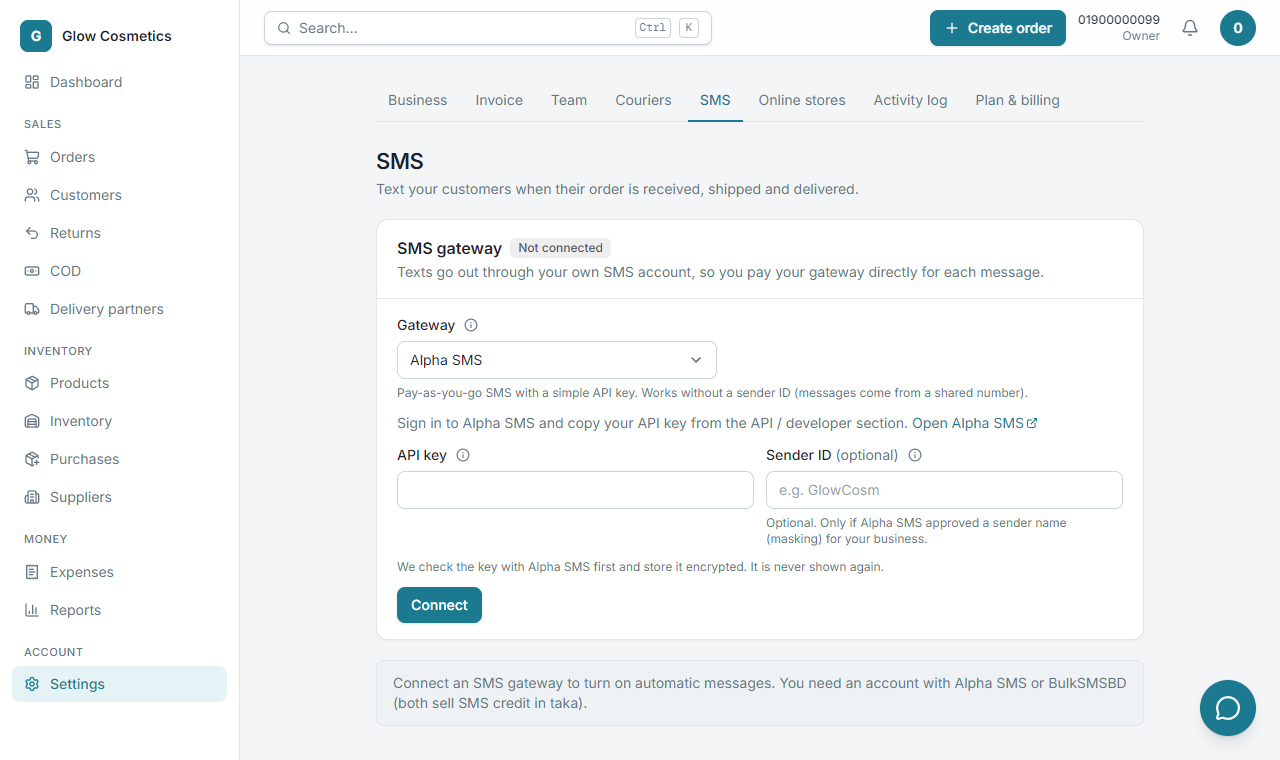
- Go to Settings → SMS.
- Under Gateway choose Alpha SMS or BulkSMSBD. You need an account with one of them (both sell SMS credit in taka). Sign in there and copy your API key from the API / developer section.
- Paste it into API key. Sender ID is optional: fill it only if the gateway approved a sender name for your business (BulkSMSBD needs one).
- Press Connect. The key is checked with the gateway first and saved encrypted; it is never shown again. A green connected tag appears.
- Press Check balance at any time to see what you have left. Update changes the key, Disconnect removes it.
- Send a test message: type your own mobile number and press Send test. It costs one SMS. Do this once to see exactly what customers will get.
Choose the automatic messages#
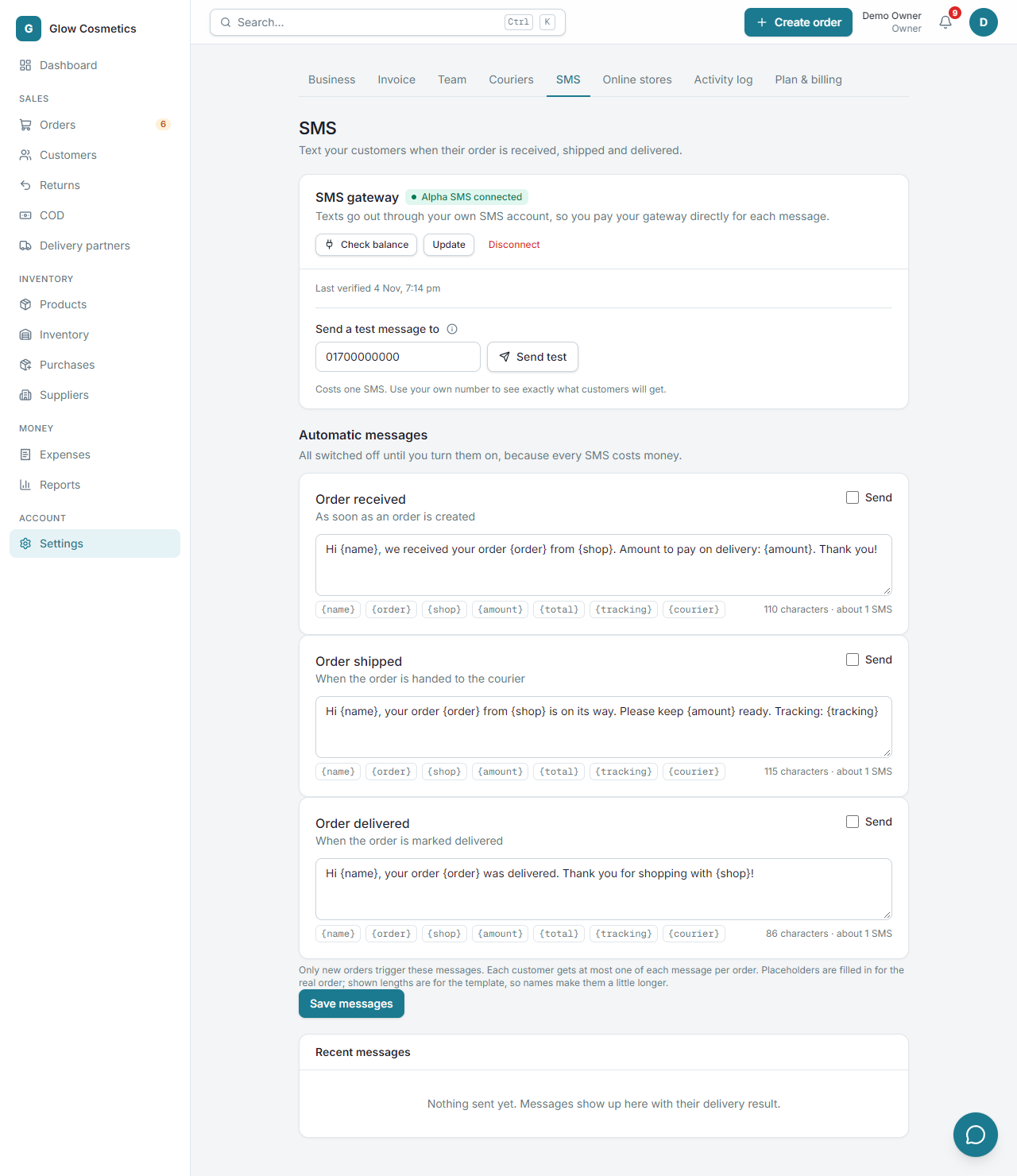
Under Automatic messages there are three cards: Order received, Order shipped and Order delivered.
- Tick Send on each message you want.
- Edit the text if you like. The small boxes insert the real order's details:
| Placeholder | Becomes |
|---|---|
{name} | The customer's name |
{order} | The order number, like GC-0012 |
{shop} | Your business name |
{amount} | The cash to collect on delivery |
{total} | The order total |
{tracking} | The tracking link or code |
{courier} | The courier's name |
- Press Save messages.
Good to know#
- Only new orders trigger these messages, and each customer gets at most one of each message per order.
- Cancelled orders send nothing.
- If the gateway is down, Enpod tries again a few times. If a message still fails, it shows as failed under Recent messages, and Retry failed sends it again.
- Recent messages lists what was sent, to whom and whether it was delivered.
- You can also send a one-off SMS from an order: Send SMS on the order page.