
Returns and exchanges
Parcels that couriers bring back, and returns or exchanges that customers ask for after delivery.
On this page
Returns has two tabs, for two different things.
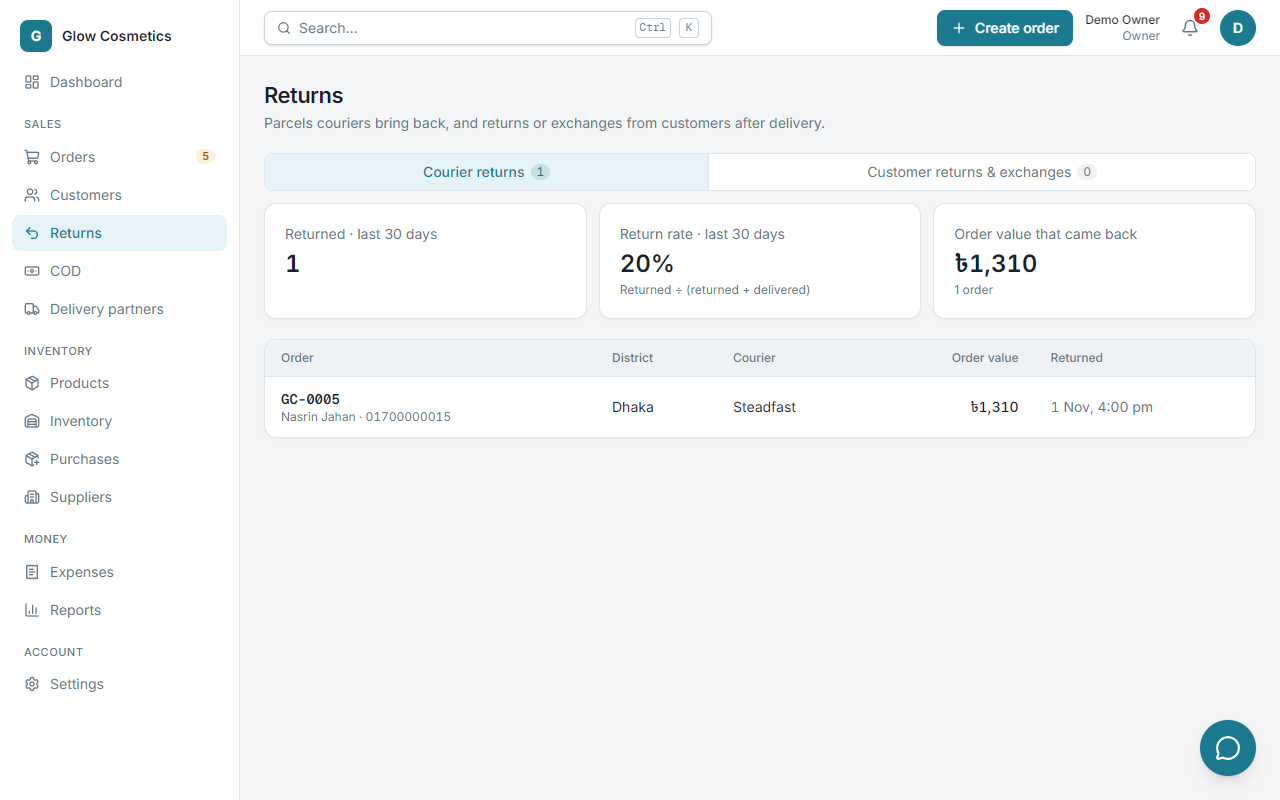
Courier returns#
Parcels that a courier could not deliver and brought back. They appear here by themselves.
- Returned · last 30 days: how many.
- Return rate · last 30 days: returned ÷ (returned + delivered). Watch it. A high rate costs you delivery and return fees.
- Order value that came back.
- The table shows the order, the district, the courier, the value and the date.
When a parcel is returned the stock goes back to the shelf automatically. With Steadfast, a parcel marked cancelled is only coming back; the stock returns when the return is received. If you already hold the parcel, press I have the parcel back on the order.
Customer returns and exchanges#
A customer keeps an item or wants another one after delivery.
- Open the delivered order and press Return / exchange.
- Choose the type: Return and refund or Exchange.
- Under What is coming back? use + and − to say how many of each product come back. The line shows how many can still be returned.
- For each product, keep In good condition: put back in stock ticked, or untick it if the goods are damaged and must not return to the shelf.
- Choose a Reason. For a refund, check Refund to customer (৳): it starts with what the customer actually paid for the items that come back (an order discount, and any tax added on top, are taken into account), and cannot be more than the order allows. For an exchange it starts at 0, because the replacement covers it.
- Add a Note if you like and press Record return (for an exchange, Record return & continue).
For an exchange you land on a new order form to choose the replacement products.
The goods you marked as good go back to stock, a refund is recorded in your profit report, and everything is written in the order's Logs.
The number of days a customer may return an item is set in Settings → Business under Return window (days). 0 means no limit.