
Activity log and notifications
See who did what, when and from where, and choose what you are told about.
On this page
Enpod writes down every important thing that happens, and tells the owner and admins about what other people did.
The Activity log#
Settings → Activity log is the diary of the whole business. Every line says who did what, when, and from where (the IP address and a short device name such as Chrome on Windows or Chrome on Android).
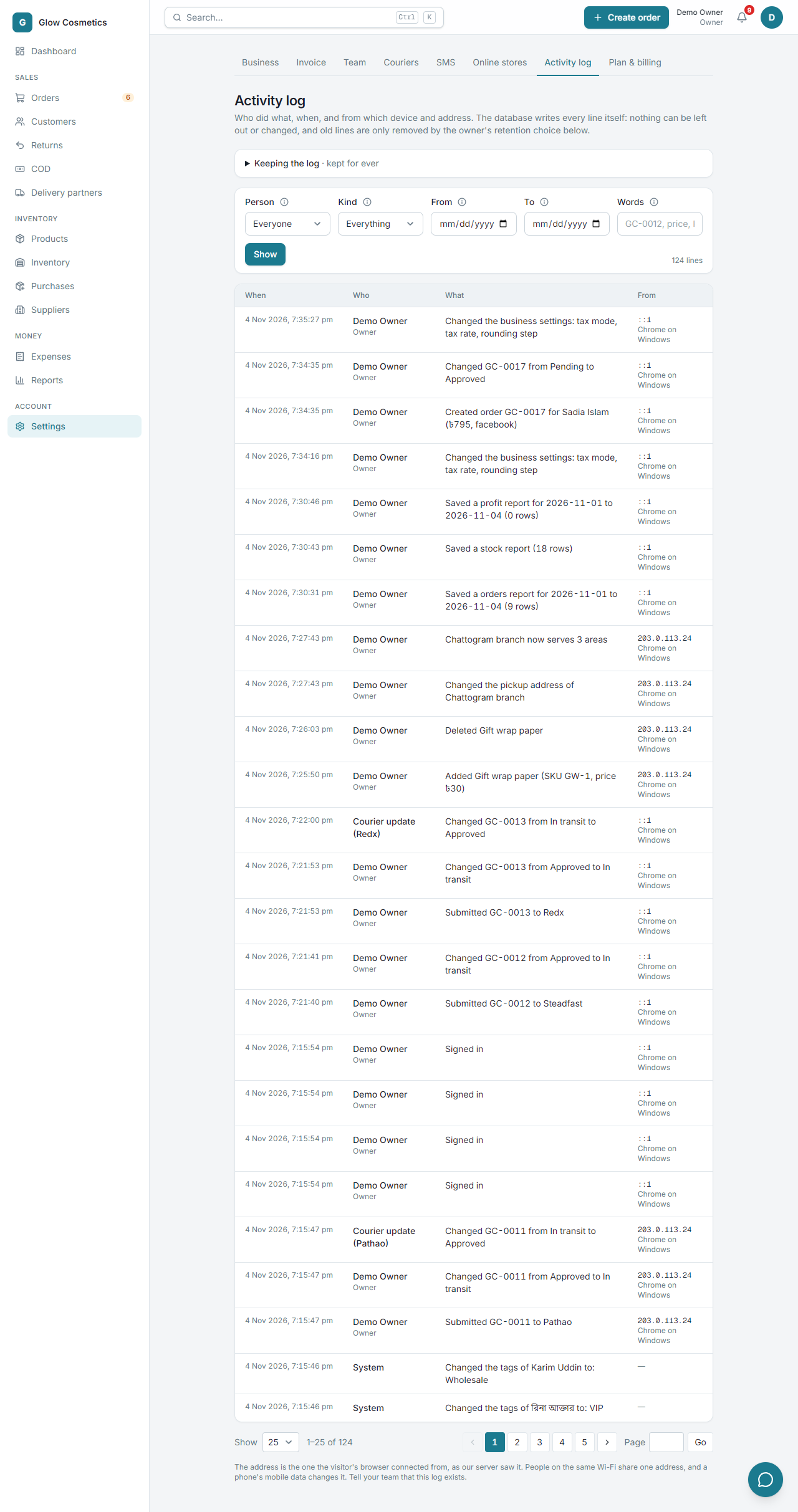
Only the owner and admins can read it, because it holds addresses.
Use the filters#
- Choose a Person (or Everyone), a Kind (orders, money, stock and so on), a From and To date, and some Words such as an order number (
GC-0012) or a price. - Press Show.
- Use Show 25 / 50 / 100 and the page buttons to move through the lines.
What is written down#
| Area | Examples |
|---|---|
| Orders | Created (with the total and source), every status change with the hold or cancel reason, given to someone, edited, submitted to a courier, a cancelled pickup, returns. |
| Money | Payments recorded or cancelled, expenses, purchases. |
| Stock and products | Stock added, removed, counted, damaged; products added; price changes (both prices); switched on or off. A cost change is written, but the numbers are not. |
| Customers | Blacklisted, tags changed. |
| Team | Added, removed, role or permissions changed, invited. |
| Settings | Business settings (before and after), a courier connected or disconnected (never the keys), SMS, online stores. |
| Security | Every sign-in, and every export of orders, customers, products or reports. |
Changes made by the system (for example Courier update (Pathao) or a WooCommerce order) have no person; they are shown by name.
How long the log is kept#
By default every line is kept for ever. The owner can open Keeping the log at the top of the Activity log (admins do not see it).
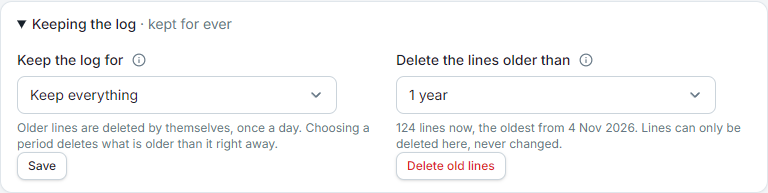
- Keep the log for: Keep everything, 90 days, 6 months, 1 year or 2 years. Older lines are then deleted by themselves, once a day, and choosing a period deletes what is already older than it right away.
- Delete the lines older than: removes the old lines now (30 days, 90 days, 6 months or 1 year; never newer than 30 days). You are asked to confirm.
Lines can still never be changed, and nothing else removes them. Every time the log is trimmed, a new line says so (for example Deleted 214 activity lines older than 90 days), so the log always shows that it was cleaned and by how much.
About the IP address#
The address is the one the person's device connected from. People on the same Wi-Fi share one address, mobile data changes it, and a VPN hides it. It is a record that keeps an honest team honest and helps you find mistakes. Tell your team that the log exists.
Notifications#
The owner and admins are told what other people did, never their own actions. A teammate who is given an order is told about it.
- Examples: Created order GC-0012 for Rina (৳1,060, facebook) · by Rafi, Changed GC-0012 from Approved to Cancelled (Out of stock), Blacklisted a customer.
- Click a notice to open the order, customer or product.
The bell#
The bell in the top bar shows a red count of notices you have not read. Click it to see the latest notices, to mark them all read, and to open the full page. It checks for new notices about once a minute.
The Notifications page#
Open it from the link in the bell.
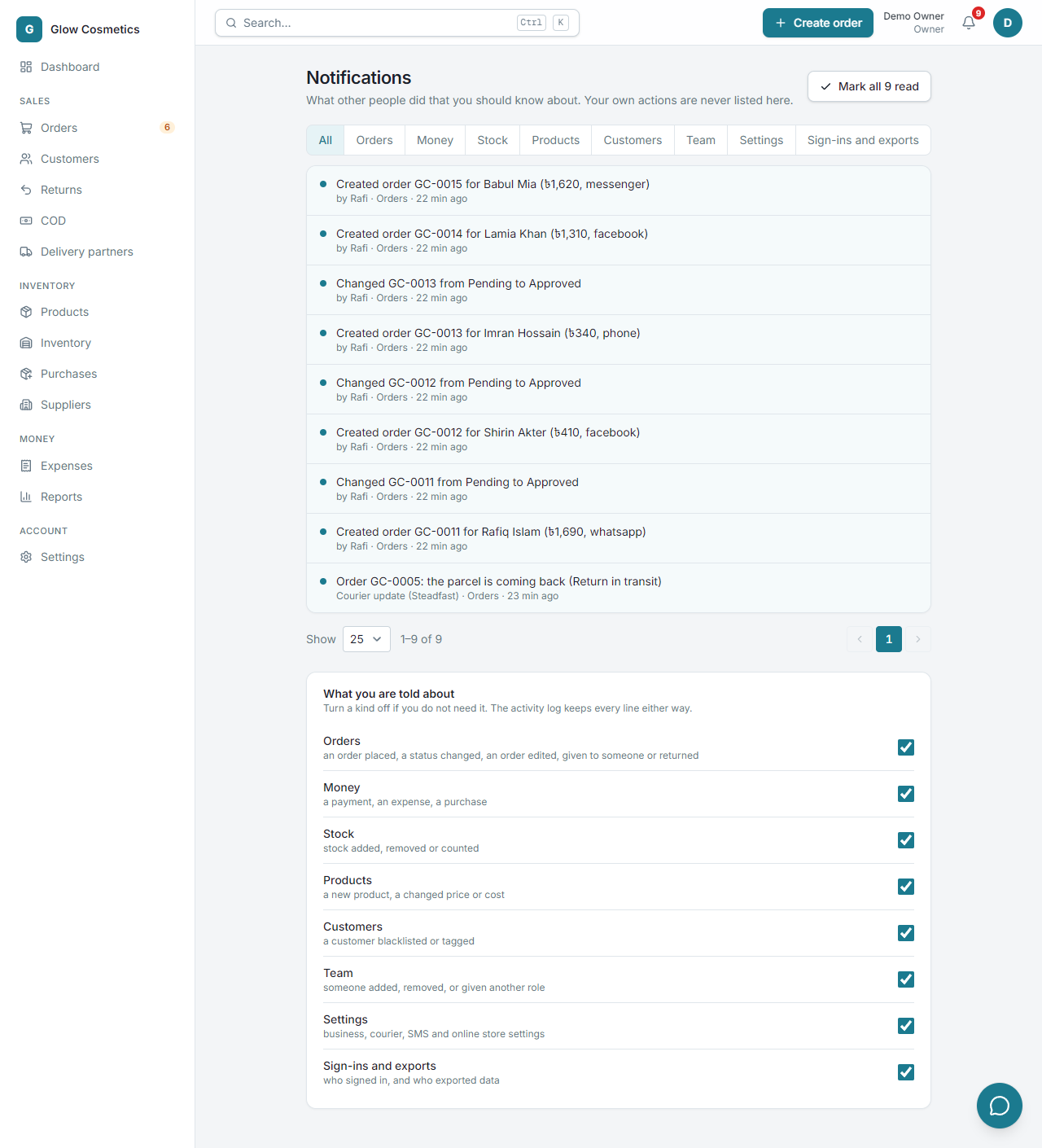
- The tabs filter by kind: All, Orders, Money, Stock, Products, Customers, Team, Settings, Sign-ins and exports.
- Mark all read clears the count.
- What you are told about has a switch for each kind. Turn a kind off if you do not need it. This only stops the notice: the Activity log still keeps every line.