The Dashboard
Today at a glance, what needs your attention, and the trends for your orders and sales.
The Dashboard is the first page after you sign in. It answers: how is the business doing, and what do I have to do now?
Choose what you see#
At the top you choose:
- Warehouse: all warehouses, or one (only if you have more than one: see Inventory).
- Period: today, last 7 days, this month and so on.
- The tabs Overview, Orders & Workflow, Operations, Performance.
Overview#
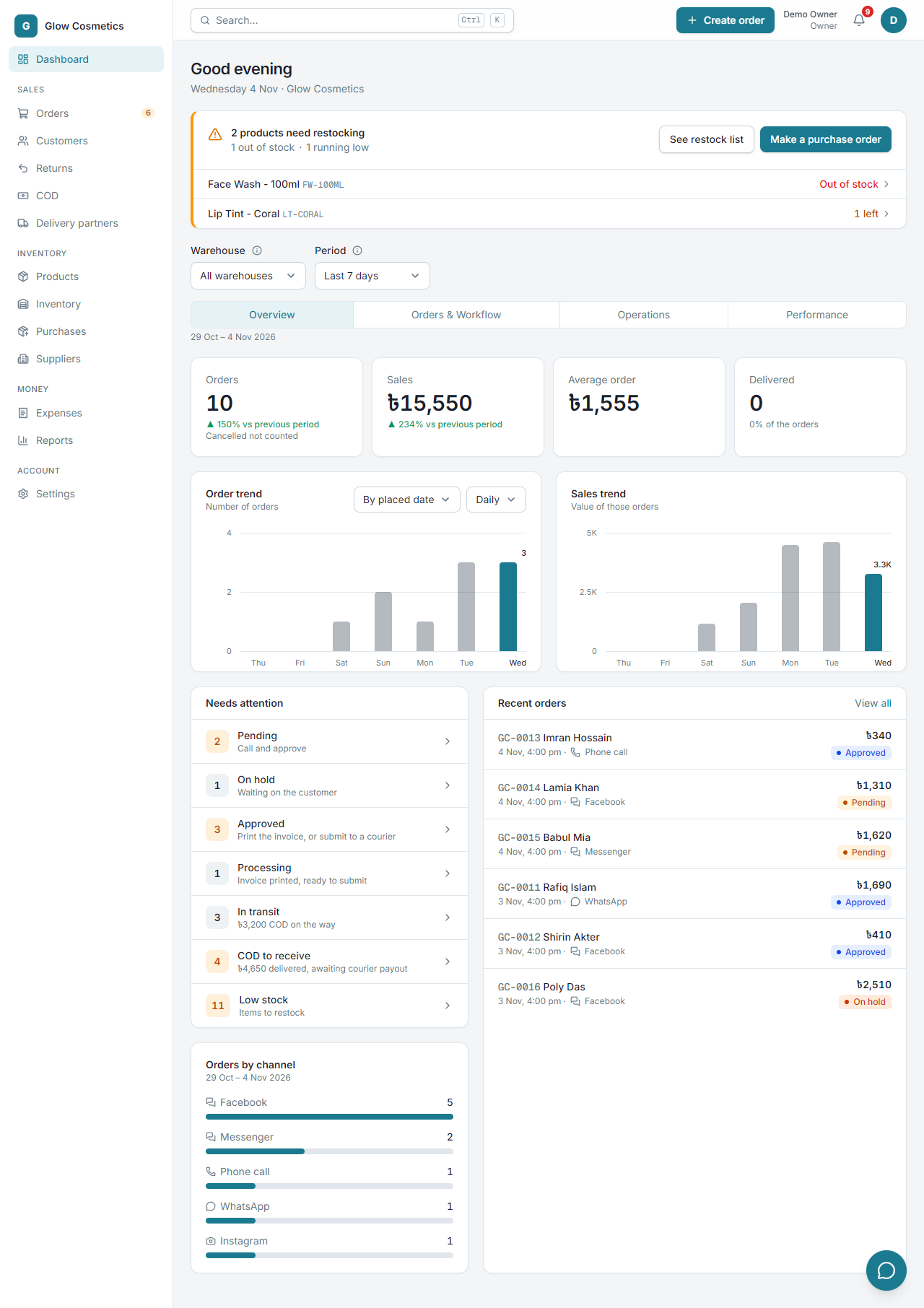
- Four cards: Orders, Sales, Average order and Delivered. Each shows the change compared with the period before. Cancelled and returned orders are not counted as sales.
- Order trend and Sales trend: one bar for each day. You can group by the date the order was placed or the date it was delivered, and by day, week or month.
- Needs attention: the shortlist of work waiting for you. Click a line to open exactly those orders.
| Line | What it means | What to do |
|---|---|---|
| Pending | New orders nobody has confirmed | Call the customer, then approve |
| On hold | Waiting for something (for example the customer) | Follow up, then approve |
| Approved | Ready to go | Print the invoice or submit to a courier |
| Processing | Invoice printed | Submit to a courier |
| In transit | With the courier, with the cash still to be collected | Watch for problems |
| COD to receive | Delivered, but the courier has not paid you yet | See COD |
| Low stock | Products below their alert level | See Restock |
- Shortage alert: when products are short (customers bought units you do not have), out of stock or running low, a card at the top lists the worst ones. Make a purchase order turns them into an order for a supplier: see Purchase orders.
- Recent orders and Orders by channel (Facebook, WhatsApp, phone and so on) show where your orders come from.
Orders & Workflow#
Where your orders are right now, and where they come from.
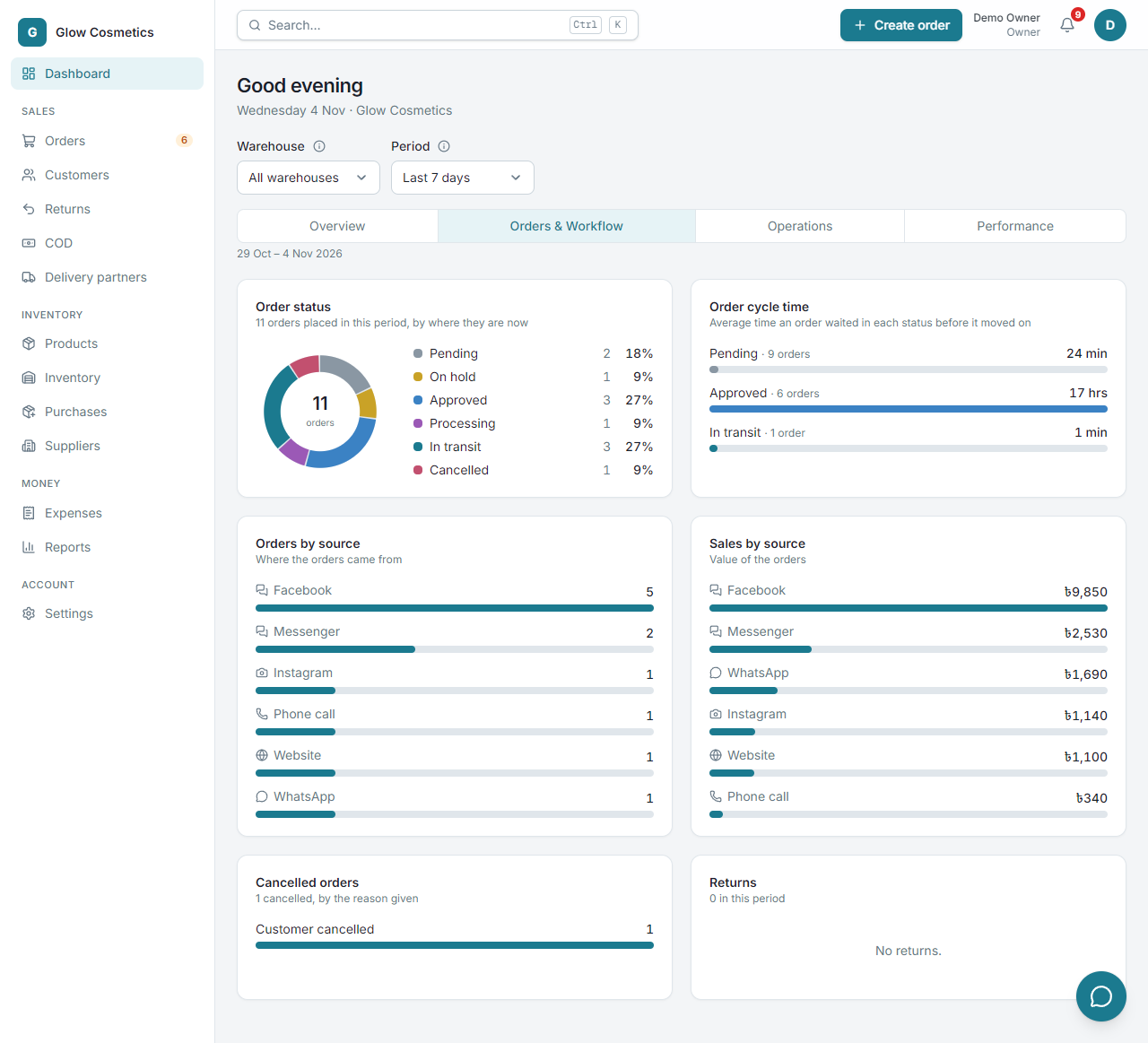
- Order status: a ring chart of the orders placed in the period, by their stage today.
- Order cycle time: how long an order waits, on average, in each stage before it moves on. If Approved is long, parcels are waiting to be shipped.
- Orders by source and Sales by source: Facebook, Messenger, Instagram, WhatsApp, phone call, website. Use it to see which channel earns the most.
- Cancelled orders (with the reasons given) and Returns.
Operations#
How your couriers and money are doing.
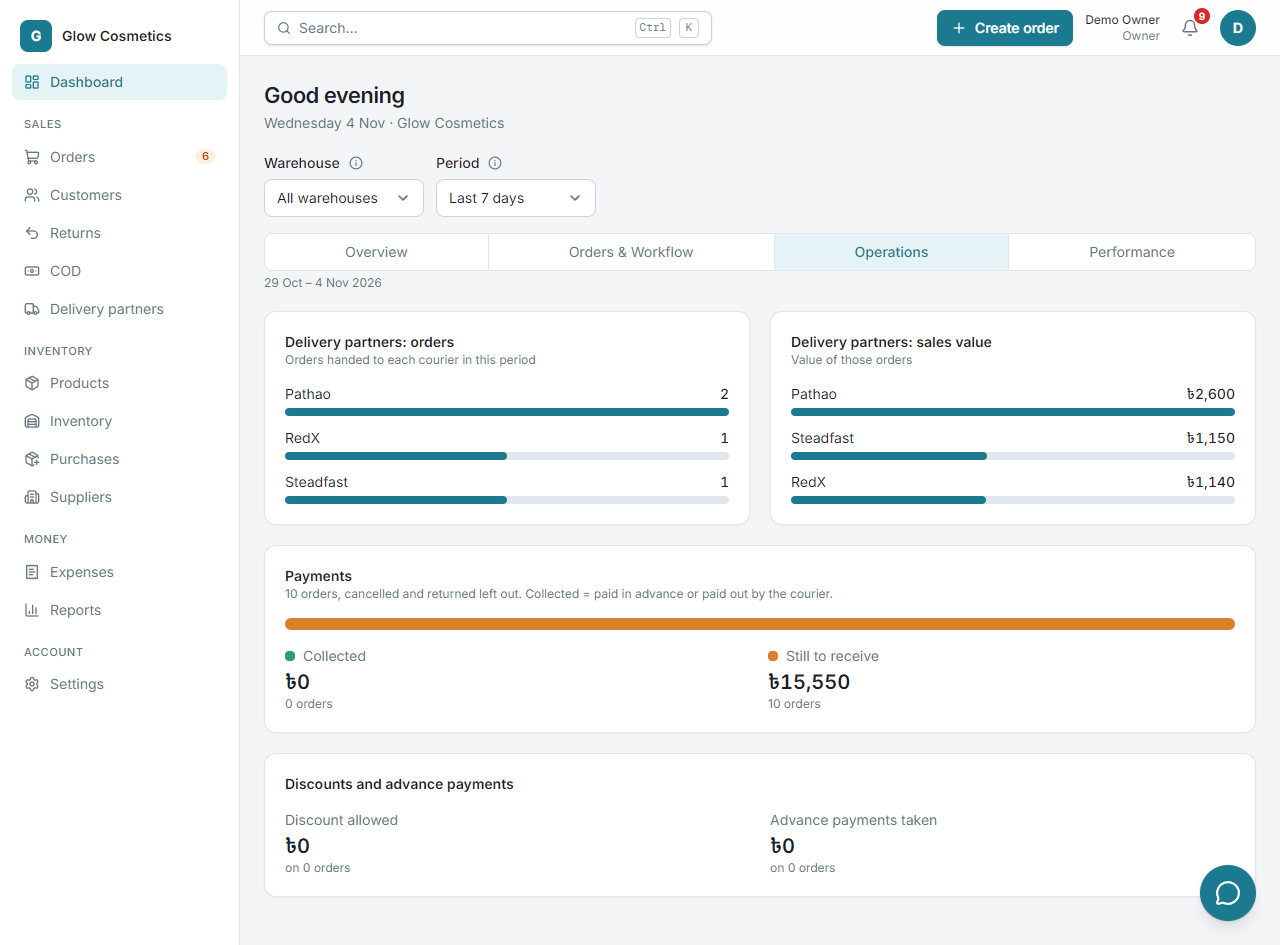
- Delivery partners: how many orders you gave each courier, and their value.
- Payments: how much is collected (paid in advance or paid out by the courier) and how much is still to receive.
- Discounts and advance payments: how much discount you allowed and how many advances you took.
Performance#
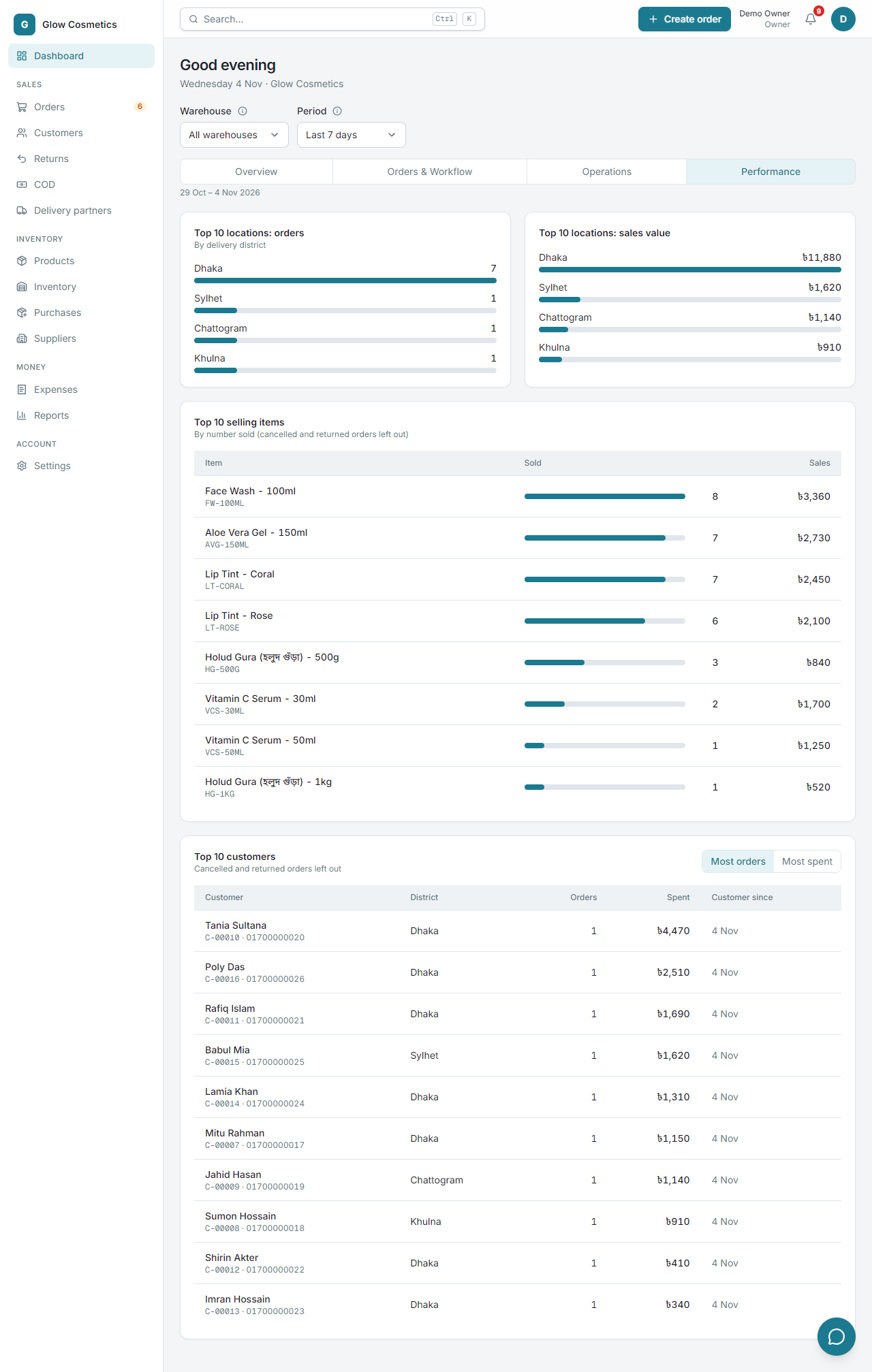
What sells and who buys.
- Top 10 locations: the districts with the most orders and the most sales value.
- Top 10 selling items: by number sold.
- Top 10 customers: by number of orders or by money spent.
Cancelled and returned orders are left out of these lists.