
Expenses
Record ads, packaging, rent, salaries and everything else you spend, so your profit is the real one.
Anything you spend that is not stock goes in Expenses: Facebook ads, packaging, rider tips, rent, salaries, software. The profit report subtracts them, so record them to see your real profit.
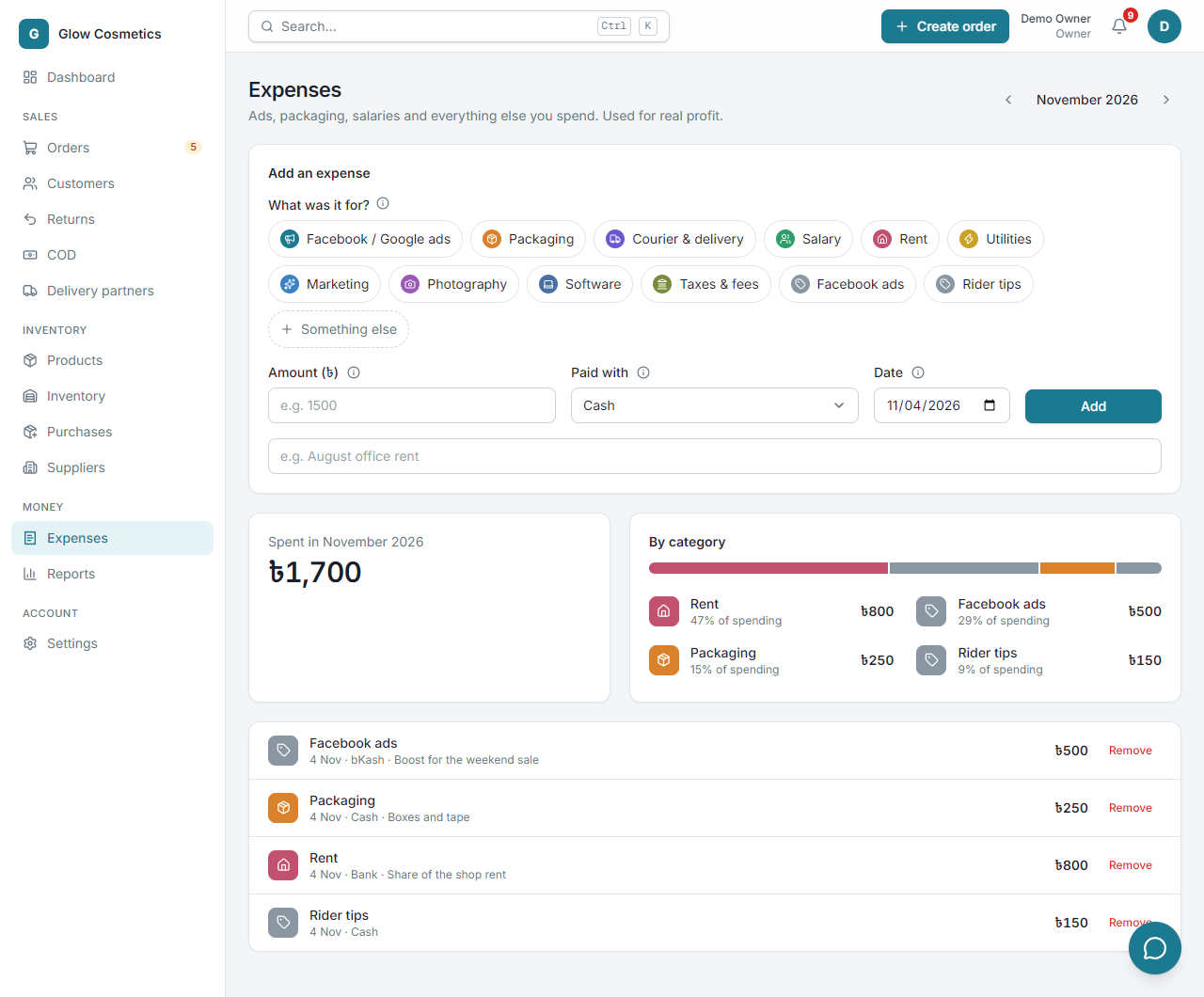
Add an expense#
- Open Expenses.
- Under What was it for? click a category (Facebook / Google ads, Packaging, Courier & delivery, Salary, Rent, Utilities, Marketing, Photography, Software, Taxes & fees, Rider tips ...). For something else, click Something else and type a name.
- Type the Amount (৳).
- Choose Paid with (cash, bKash, bank ...) and the Date.
- Add a Note if you like, and press Add.
See where the money goes#
- Spent in October 2026 is the total for the month. Use the arrows next to the month name to go to other months.
- By category shows each category's share of your spending.
- Below that is the list of every expense with its date, how it was paid and the note.
Remove a wrong one#
Press Remove at the right of the row. It is taken out of your profit report.